Your AI Creator & Publishing Studio

Turn your videos viral.

One long video in. A feed of viral-ready clips out.

  • Finds your best moments — hook-first
  • Captions & reframes them automatically
  • Designs scroll-stopping thumbnails
  • Learns what works for your audience
  • Publishes everywhereTikTok, Reels, Shorts, YouTube & more
No credit card to start · Cancel anytime
🔊 Click anywhere to unmute
Publish to TikTokInstagramYouTube FacebookXLinkedIn PinterestThreads
What GoVirable does

Everything from raw footage to published, in one place.

Not just a clipper — the whole path from upload to attention.

AI clips anything

Drop a file or paste a link. The AI finds hook-first, self-contained moments and reframes them to follow the speaker — any genre, any length.

Designed to stop the scroll

Animated captions, 50+-language translation & AI dubbing — in a generic voice or a clone of your own — auto-zoom, hook overlays, and a brand kit baked into every clip.

AI thumbnails

Design click-worthy covers — cut out the subject, add a glow, drop in an author photo, and headline it. New or edit an existing one before you post.

Idea → Video

Start with just an idea. GoVirable writes the script, generates bespoke AI visuals in one consistent style, and voices it — in your language, even your own voice.

A brain that learns you

GoVirable joins each clip's features with its real views and tells you what to make next — and the best time to post it. It gets sharper every week.

Schedule & auto-publish

A content calendar with best-time-to-post built in. Queue clips and GoVirable ships them to all 8 platforms — with auto titles, descriptions & hashtags.

How it works

From upload to published in four steps.

1

Upload or paste a link

A file, a YouTube URL, a recording — anything long-form.

2

AI finds the best moments

It scores, cuts and reframes the strongest clips, hook-first.

3

Customize & brand

Captions, thumbnails, translation, your logo — tweak anything.

4

Schedule & publish

Send to every platform on the best schedule, automatically.
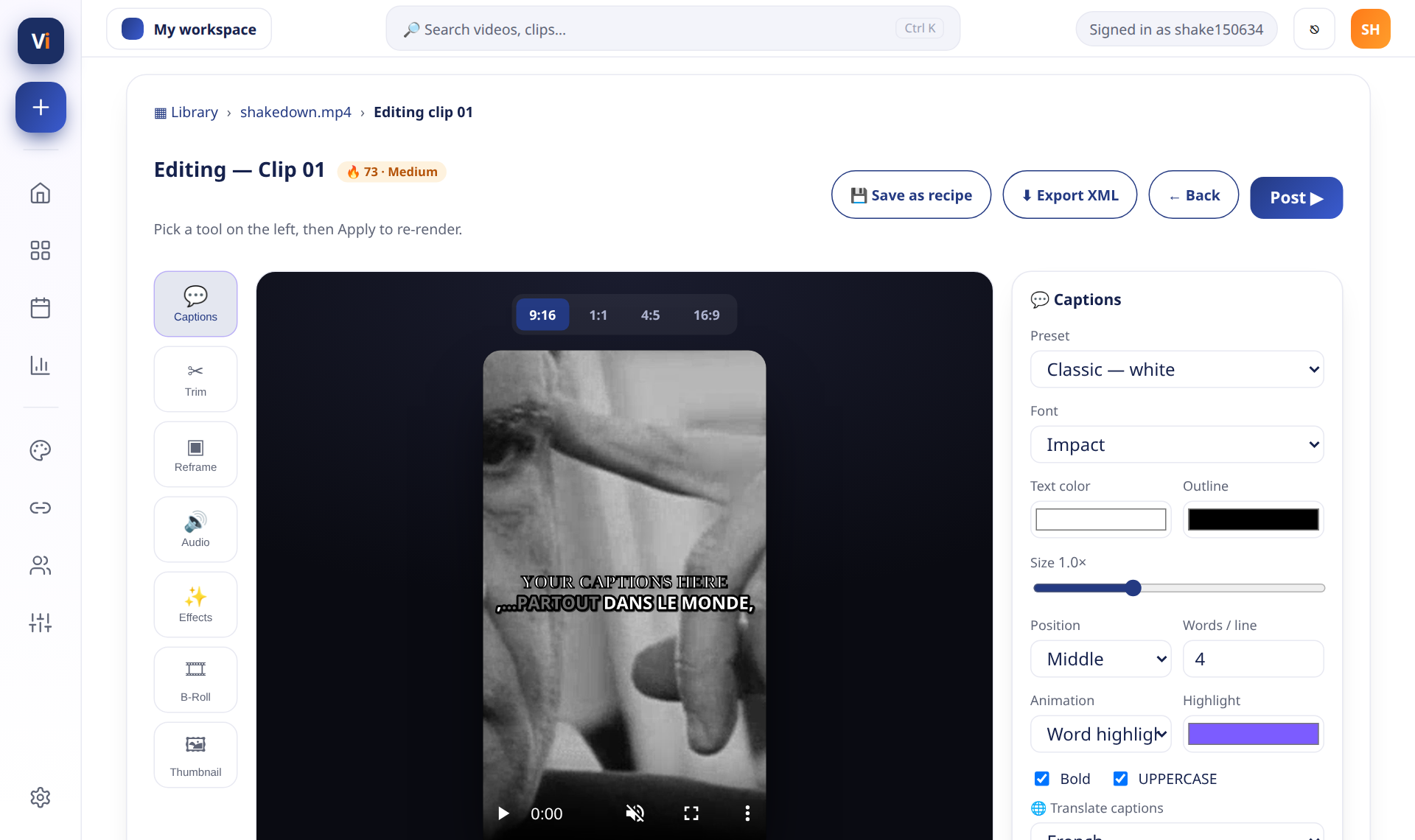
GoVirable clip editor

A studio-grade editor — without the studio

Trim, reframe, restyle captions, add B-roll and hooks. Every change previews instantly.
  • Active-speaker reframe to 9:16
  • Word-by-word animated captions
  • Translate & dub into 50+ languages
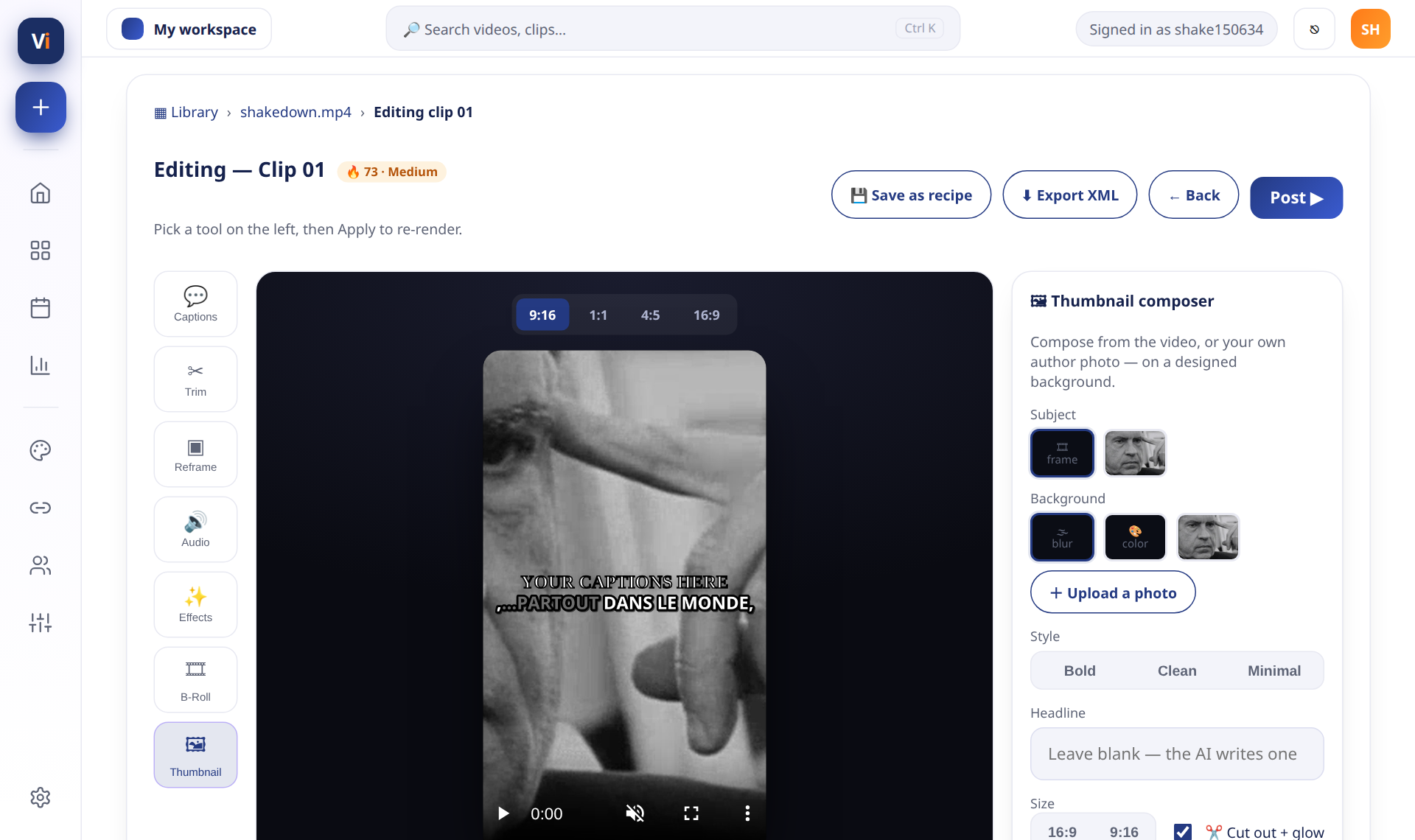
GoVirable thumbnail composer

Thumbnails that earn the click

Compose a designed cover with a cut-out subject, brand glow, headline and your own author photos — or restyle the existing one before posting.

  • AI subject cut-out + glow
  • Upload author photos & assets
  • Set a custom cover before you post
See each step

Clip, design, and publish — a few clicks each.

The full narrated tour plays at the top of the page. Here's each step on its own.

Walkthrough transcript

In this walkthrough, we show how GoVirable turns one long video into a feed of viral-ready clips. First, upload a file or paste a link — a podcast, webinar, interview or any long-form recording. Next, the AI finds the strongest hook-first moments and cuts them into short-form clips, reframed vertically with the speaker in frame. Then, style them: animated captions, translation and dubbing into 50+ languages, thumbnails with subject cut-outs and headlines, and your brand kit applied to every clip. Finally, schedule and publish everywhere — TikTok, Instagram Reels, YouTube Shorts, Facebook, X, LinkedIn, Pinterest and Threads — from one calendar, and watch the Performance Brain learn which clips and posting times work best for your audience.
Clip a long videoUpload or paste a link — AI finds the moments.
Design & captionCaption styles, reframe, effects & brand kit.
Schedule & publishOne calendar for every platform.
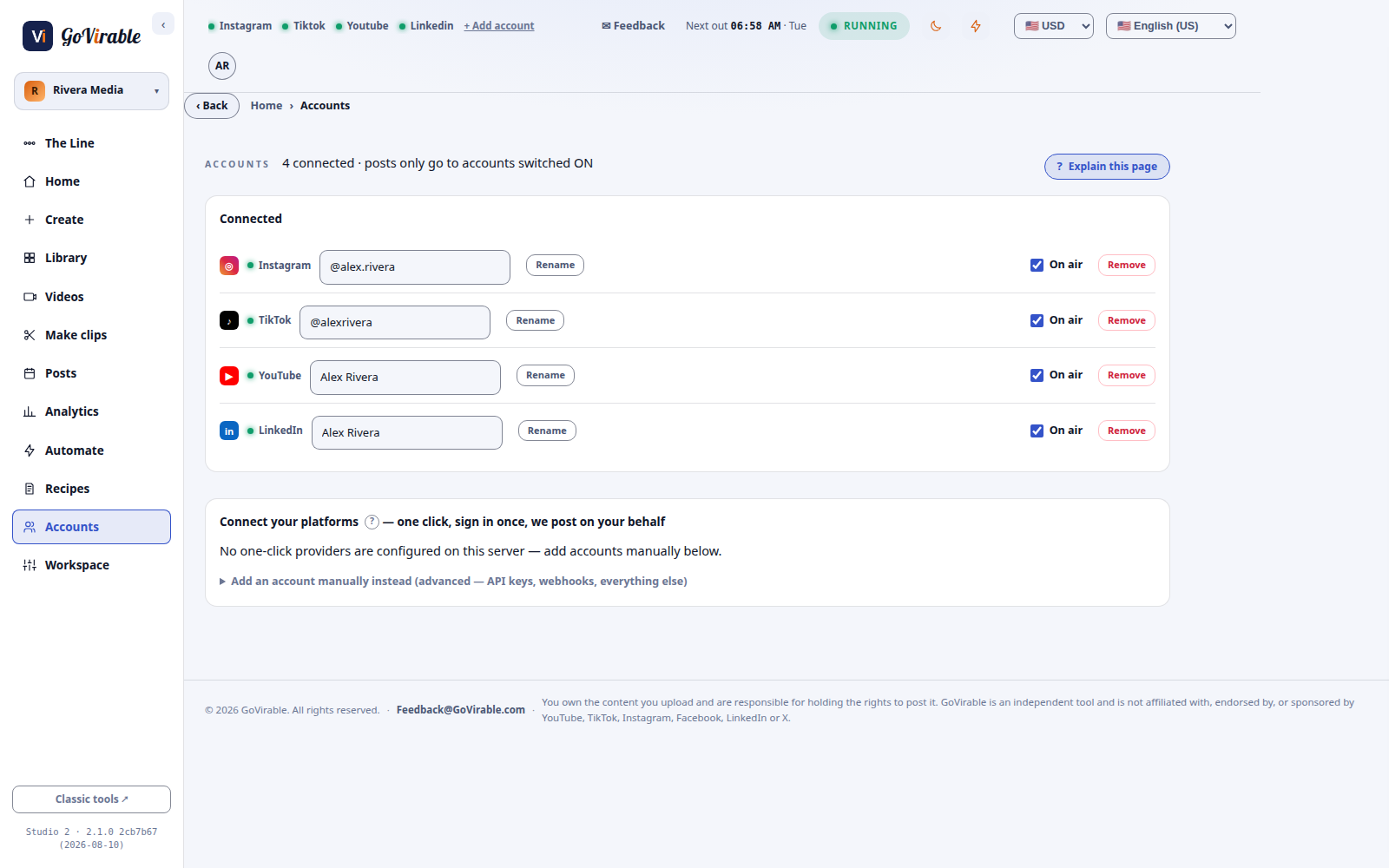
GoVirable workspaces, team roles and connected accounts
Built for teams & agencies

A workspace for every brand or client.

Keep each brand's library, accounts, brand kit and schedule cleanly separate — and bring your whole team in with exactly the access each person needs.

  • Company Admin over every workspace
  • Per-workspace roles: view · edit · publish · admin
  • Invite teammates to one workspace or many at once
  • Secure sign-in with 2-step verification
Pricing

One plan. Every feature. Pay for what you process.

You spend credits only when you add a video — the longer the video, the more credits it uses. Making clips, captions, edits & publishing is free. Start on the house, no card.

Free

$0 /mo
Everything, on the house.
  • 75 credits / month
  • Every feature — clips, captions, editor, brand kit
  • Unlimited clips from every video
  • Schedule & publish everywhere
Start free →
Best value

Membership

$15 /mo
Billed annually · or $29 month-to-month
  • 250 credits / month
  • Everything in Free — nothing locked
  • Annual unlocks the whole year up front
  • Priority processing
Become a member

Top-up packs

from $8
For members who need more — they never expire.
  • 100 credits — $8
  • 500 credits — $35
  • 1,000 credits — $70
  • Requires an active Membership
Become a member

Agencies & Enterprises

Let’s talk
Built for teams and high volume.
  • Volume credits at custom pricing
  • Multiple workspaces & team seats
  • Priority processing & support
  • Dedicated onboarding & invoicing
Contact sales
Sales@GoVirable.com

Credits are only spent on the videos you add — then make as many clips from each as you like, completely free. Top-up credits never expire. Agencies & enterprises, reach us at Sales@GoVirable.com.

Who we are

We think attention should be earned, not bought.

GoVirable started from a simple frustration: creators and teams sit on hours of great long-form video, but turning it into content that actually performs takes a whole editing suite, a scheduler, a designer and a lot of late nights. So we built one AI studio that does the entire job — find the moments, make them beautiful, learn what your audience loves, and publish everywhere — so you can spend your time creating, not cutting. One video in. A feed of viral-ready clips out.

FAQ

Questions, answered.

What kind of videos work best? +
Anything long-form — podcasts, interviews, webinars, talking-head videos, streams, vlogs. GoVirable finds the strongest self-contained moments and reframes them vertically for short-form feeds.
Which platforms can I publish to? +
Eight: TikTok, Instagram, YouTube, Facebook, X, LinkedIn, Pinterest and Threads — plus a webhook to send clips anywhere else you automate.
Do I need editing skills? +
No. GoVirable produces ready-to-post clips automatically — captions, reframing, thumbnails and all. The editor is there if you want to fine-tune, not because you have to.
Can it caption and dub other languages? +
Yes — animated captions out of the box, plus translation and AI dubbing into 50+ languages, in a generic voice or a clone of your own.
Can my team use it together? +
Yes. Create a workspace per brand or client, invite your team, and give each person exactly the access they need — view, edit, publish, or admin — with a Company Admin over all of them.
Can I cancel anytime? +
Yes. Start on the free plan with no card, upgrade when it's paying off, and cancel whenever you like.

Make your next video go viral.

Join creators turning one upload into a feed of viral-ready clips.

Start free →